Tool 04 · Resume desk
Tailor Your Resume to the Job Description
Paste the job posting and your resume text. MockStar extracts the keywords the employer is screening for, shows exactly which ones your resume is missing, and walks you through an ATS format self-check — entirely in your browser.
[ Resume desk ]
Local only · nothing uploaded[ Coverage report ]
Keyword match matrix
Keywords extracted from the job description, checked against your resume text.
| Keyword | Type | In your resume | Suggestion |
|---|
Density check
Core terms read best at 2–3 natural mentions across the resume. Zero is a gap; repeating a term over and over reads as stuffing to a recruiter even when it parses fine.
ATS format self-check
This tool reads pasted text — it cannot inspect your actual file. Check the items that are true of your resume document: 0 / 10
Honest note: keyword coverage helps your resume get found — it does not get you interviews. What gets you interviews is quantified, specific bullets that prove the keywords. Rewrite your weakest bullets with the STAR method builder, then re-run this check.
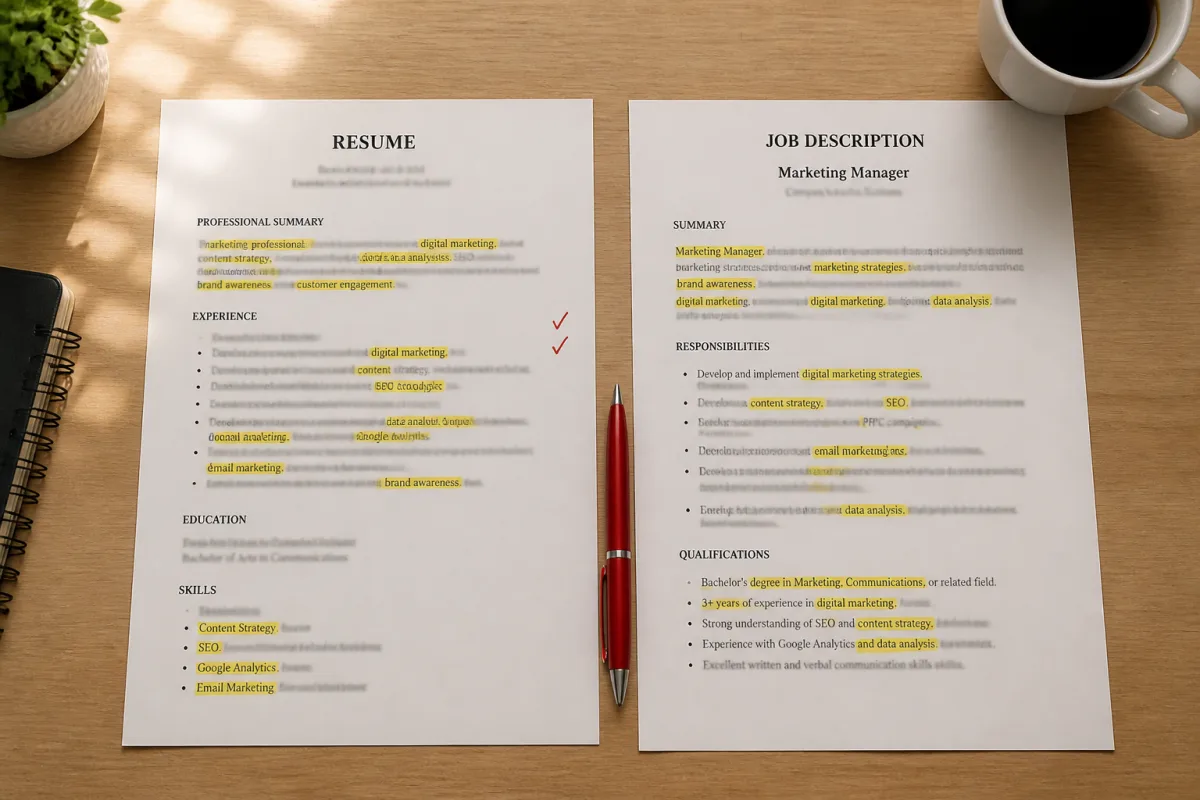
How ATS keyword matching actually works
Almost every mid-size and large US employer routes applications through an applicant tracking system — Workday, Greenhouse, Lever, iCIMS, and Taleo cover most of the market. Two things happen to your resume there. First, the system parses it: it reads the text and tries to sort it into fields like contact info, work history, education, and skills. Second, it becomes searchable: when a recruiter opens the requisition, they filter the applicant pool by the skills and titles the hiring manager asked for — "SQL", "stakeholder management", "B2B SaaS". Resumes that never mention those terms simply do not appear in the filtered list, regardless of how qualified the person is.
The practical takeaway: mirroring the exact vocabulary of the job description is not gaming the system — it is translation. You may write "built churn-prediction models"; the posting says "machine learning". A human would connect those; a keyword filter often will not. This tool automates that comparison: it extracts the skills, tools, and recurring phrases from the posting, then checks each one against your resume text.
How to use the tool
Copy the entire job posting — responsibilities, requirements, and preferred qualifications — and paste it into the first box. Then open your resume, select all, and paste the plain text into the second box. Pick the closest role family so the built-in skill lexicon is weighted toward your field (software engineering, product, data, marketing, or a general list). The report shows your coverage of the required keywords, a per-keyword match table with where each match was found, density warnings, and an ATS format self-check for the file itself.
A worked example
Say the posting for a data analyst role lists "Required: SQL, Python, data visualization, A/B testing" and "Preferred: dbt, Snowflake". Your resume mentions SQL three times and Python twice — good. It says "built dashboards" but never the phrase "data visualization", and A/B testing appears nowhere. Coverage: 2 of 4 required keywords, 50%. The fix is not to sprinkle "A/B testing" randomly — it is to rewrite one honest bullet: "Designed and analyzed A/B tests for the onboarding flow, lifting activation 12%", and to rename the dashboard bullet to use the posting's own phrase. Re-run the check and coverage jumps to 100% of required keywords — with bullets that are also stronger for the human reader.
Keywords get you found. Bullets get you interviews.
A keyword match only decides whether your resume surfaces in a search. What happens next is a human skim of six to ten seconds, and what survives that skim is specific, quantified accomplishment bullets. Once your coverage is above 80% on required keywords, put the rest of your effort into bullet quality: rewrite weak lines with the STAR method builder, pressure-test your stories with a timed round in the practice tool, and after the interview, close the loop with the follow-up email generator.
Privacy by design
Resumes and job descriptions are sensitive — they reveal your employer, your history, and where you are applying. This tool never transmits either text. Extraction and matching run entirely inside your browser tab; there is no server call, no storage, and no analytics event containing your inputs. When you close the tab, everything is gone.
Frequently asked questions
Does keyword matching guarantee my resume gets through the ATS?
No. Most modern systems (Workday, Greenhouse, Lever) rarely auto-reject on keywords alone — recruiters still search and filter by them, though. High coverage mainly means you show up when a recruiter searches the applicant pool, and that your resume speaks the same language as the posting.
Should I copy keywords from the job description word for word?
Yes for hard skills and tools — write "SQL" if the posting says "SQL", not just "databases". But only claim skills you actually have, and work the important ones into achievement bullets rather than dumping them in a list. Recruiters read the resume after the search finds it.
How many times should a keyword appear?
Two to three natural mentions is the sweet spot: once in your Skills section and once or twice inside experience bullets where you actually used it. Zero is a gap; repeating a term five or more times reads as keyword stuffing to the human who opens your resume.
Is a higher coverage score always better?
Up to a point. Chasing 100% usually means stuffing or claiming skills you do not have, and both backfire in the interview. Above 80% on required keywords, spend your remaining time on stronger quantified bullets instead of squeezing in the last keyword.
Does the tool read my resume file or check the formatting?
No — it only compares the plain text you paste. It cannot see your fonts, columns, or layout, which is why the ATS format list is a self-check: honest answers about your actual document, scored locally.
Is my resume or the job description stored or uploaded?
No. The entire analysis runs in your browser tab — no server call, no storage, and analytics only record structural metadata (role selected, keyword count, coverage bucket). Close the tab and both texts are gone.
Next up
Resume tailored — now earn the interview
The keywords get you found. Quantified STAR bullets and practiced answers get you the offer.
Build STAR answers